TL;DR: Purchase order automation for manufacturers means automating the chaos after the PO is placed: acknowledgment chasing, ship date tracking, supplier follow-ups, and status updates back to the ERP. Most PO automation content focuses on approval workflows and invoice matching. For manufacturers buying direct materials, the real time sink is the 25 to 50 email touchpoints per PO that happen between "PO sent" and "parts received." Start there.
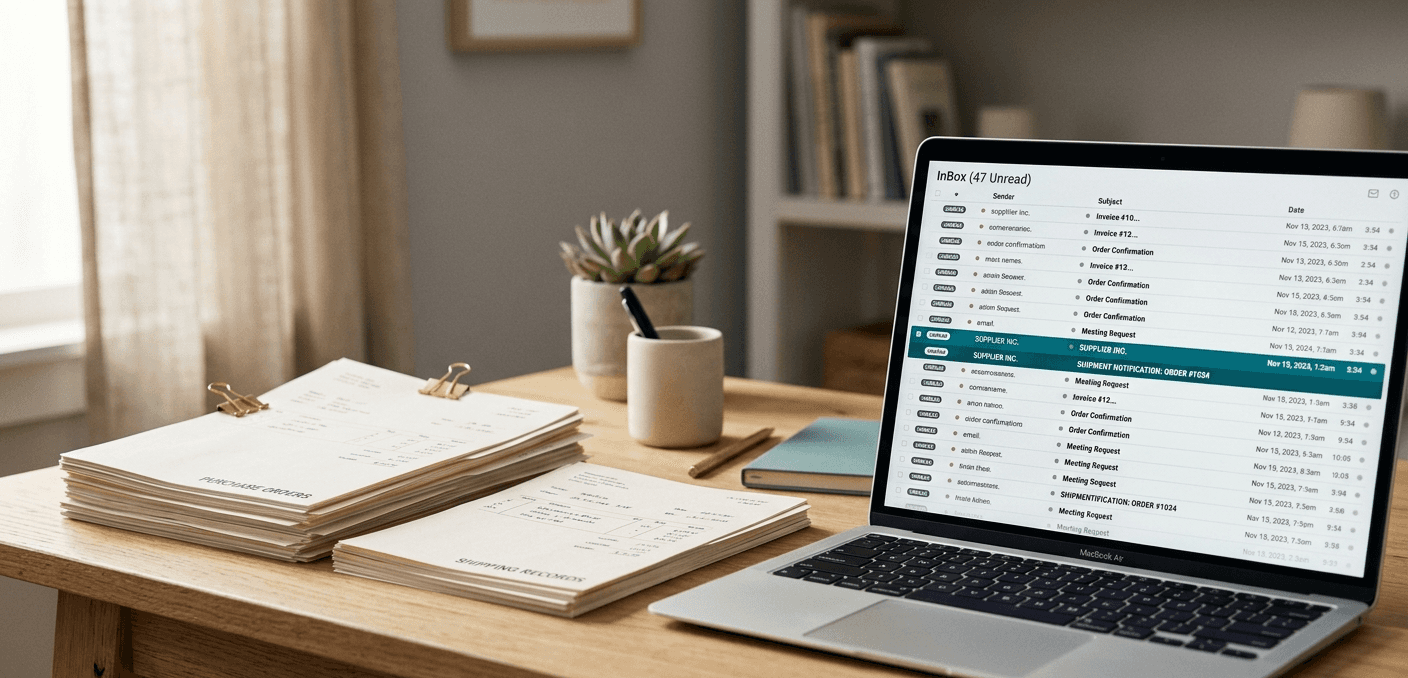
Your buyer opens her laptop at 7:30 AM. The inbox has 74 unread emails. Twelve are supplier acknowledgments for POs placed last week. Eight are partial ship notices with no tracking numbers. Three are suppliers saying "we need to discuss pricing before we confirm." One is from the production planner asking why the bearings due yesterday haven't shipped.
This is what purchase order automation is supposed to fix. But Google the term and you'll get IBM whitepapers, Tipalti guides about three-way matching, and a dozen articles about getting invoices processed faster. Useful if you're in accounts payable. Useless if you're a procurement team at a manufacturer managing hundreds of open POs across suppliers who respond on their own timeline, or don't respond at all.
We've talked to enough manufacturing procurement teams to know: the automation they actually need looks nothing like what most vendors sell.
Why Most Purchase Order Automation Content Doesn't Apply to You
Here's the disconnect. Most PO automation software and the content around it focuses on three things: purchase requisition workflows, approval routing, and invoice matching. That's the procure-to-pay cycle as seen from the finance department.
For a manufacturer buying direct materials, those three things account for maybe 20% of the actual work.
The other 80% is the grind between placing the PO and receiving the parts. Did the supplier acknowledge the order? Did they confirm the requested delivery date or push it out two weeks? Are they shipping partial? Did they substitute a material? Is the shipment actually on a truck or still sitting on their dock?
That's the part nobody automates well. Your ERP records the PO. Your email is where the PO actually lives. And "purchase order automation" that doesn't touch the email chaos isn't automating the part that costs you the most time.
Procurify, SAP Ariba, and Coupa all have PO modules. They're solid at creating POs, routing approvals, and recording transactions. But ask any buyer at a manufacturer what eats their week, and they won't say "approval routing." They'll say "chasing suppliers for updates."
What Actually Eats a Manufacturer's PO Time
We hear the same numbers, over and over, from different companies in different industries. Remarkably consistent.
A food equipment manufacturer told us a single PO generates 25 to 50 email touchpoints over its lifecycle. That's not a complex, multi-line aerospace PO with ITAR documentation requirements. That's a standard purchase order for commodity parts.
It starts with acknowledgment chasing. You send the PO. Nothing happens for three days. You send a "did you receive this?" email. The supplier responds saying they got it but need to check pricing. Two more days. Another follow-up. They confirm. Five emails for what should be an automatic receipt.
Then delivery date confirmations. The PO says "deliver by May 15." The supplier accepted it but never explicitly confirmed the date. Your planner is asking whether the parts will actually show up. You email the supplier. They respond two days later saying they're on track. Or they don't respond, and now you're escalating.
Ship notices are their own mess. Some suppliers send ASNs. Most don't. The ones who do send them in completely different formats: a PDF attached to an email, a line in the body text, a screenshot of their shipping label. Occasionally a proper EDI 856, but that's rare outside automotive and aerospace Tier 1s.
And exceptions create their own email chains. The supplier can't get a material. Lead time changed. They want to sub a different alloy. Each one kicks off a conversation, an approval cycle, an update to the PO.
One electronics manufacturer's procurement lead told us her three buyers spend roughly 60% of their week on follow-up emails. Not sourcing. Not negotiating. Not evaluating suppliers. Just asking "where's my stuff?"
Where Should Manufacturers Start With PO Automation?
Skip approval workflows. Skip requisitions. Skip three-way matching. Those can come later. Start with where the hours actually go.
The first thing to automate is acknowledgment tracking. You send a PO and the supplier goes quiet. Three days pass. Did they get it? Are they reviewing it? Did it land in someone's spam folder? A buyer shouldn't be checking a spreadsheet to figure out which POs haven't been acknowledged. The system should watch, nudge automatically at 48 hours, and escalate if there's still nothing by day five.
Second: delivery date confirmations and, more importantly, change detection. Supplier confirms May 15. Two weeks later, buried in a reply chain about something else, they mention "actually closer to May 28." That date change needs to get caught, not discovered when the production planner asks why the parts aren't on the dock. The best PO automation tools parse the email, spot the date shift, update the record, and only alert the buyer if the new date creates a downstream problem.
Third is the big one: supplier email parsing. This is where AI becomes non-optional. Suppliers send status updates in completely unstructured formats. "Your order shipped yesterday via FedEx, tracking number is in the attachment." "We're running two weeks behind on the stainless components." "See attached revised quote per your change order." A human reads these, understands the context, and types the update into the ERP. AI can do the same thing without the typing.
After those three, automate your follow-up cadences. Different PO stages need different nudges at different intervals: acknowledgment checks at 48 hours, delivery confirmation requests at T-minus 7 days, overdue escalations at 24 hours past due. Set the rules once. They run across every open PO continuously. The buyer's job becomes reviewing exceptions, not remembering to send reminders.
Last (and this one seems obvious, but it's where most tools quietly fall down): push status updates back to the ERP. The buyer knows the PO shipped because they read the email. The planner doesn't know because nobody updated SAP. The warehouse doesn't know because nobody updated NetSuite. Automated PO tracking that doesn't close the loop back to the system of record just moves the manual work from one screen to another.
What to Skip (at Least for Now)
Supplier portals are the biggest trap in PO automation for manufacturers. The idea makes sense on paper: give every supplier a login, they update their own PO statuses, you get real-time visibility. Coupa Supplier Portal, SAP Ariba Network, and SourceDay all take this approach. And it works at automotive OEMs and large CPGs who have the leverage to force compliance.
But your machine shop in Wisconsin with 12 employees? They're not logging into your portal every morning to update order statuses. They're going to send you an email. We've heard adoption rates ranging from 15% to 40% for manufacturers who've tried. That means you end up with partial data in the portal and the rest in email, which is worse than just email because now you're checking two places instead of one.
The other thing to avoid right now is heavy ERP customization for PO workflows. Yes, your SAP or NetSuite instance can be configured to send automated reminders, track acknowledgments, and flag overdue POs. It can also take six months, cost six figures, and break every time you upgrade. Your ERP is a system of record, not a communication platform. The PO lifecycle happens in email. Customizing the ERP to pretend otherwise usually creates more problems than it solves.
RPA is a similar dead end for this use case. UiPath and Power Automate handle structured, repeating tasks well. PO follow-up emails aren't structured. Every supplier formats responses differently. RPA breaks when the format changes, which is constantly.
What to Look for in PO Automation Software
The PO automation space for manufacturers is surprisingly thin. Most tools either do too much (full P2P suites you don't need) or too little (approval workflows that miss the actual bottleneck).
Lumari is built specifically for the post-PO lifecycle at manufacturers. Reads supplier emails, extracts PO confirmations, sends automated follow-ups on the buyer's behalf, parses ship notices and date changes, pushes status updates back to the ERP. Suppliers don't adopt anything new. They keep emailing. If you've read this far and the "80% of the work happens after the PO is placed" framing resonated, this is where we live.
Leverage AI is the closest competitor in this niche, and they're good. Their manufacturing-specific PO automation content ranks well for a reason: they understand the problem. If you're building a shortlist, they belong on it. The difference comes down to approach (how much happens through email vs. through their platform) and ERP integration depth. Worth a head-to-head evaluation.
SourceDay has been in the PO tracking space longer than most. They lean portal-heavy, which works if your suppliers will actually log in. For manufacturers with a mix of large and small suppliers, expect uneven adoption. The POs from your biggest suppliers get tracked in SourceDay; the POs from your 150 smaller shops still get tracked in email.
Sustainment is worth a look if you're in defense or heavy industrial. ITAR compliance, AS9100 awareness, project-level PO tracking. Narrow focus, but deep.
Coupa and SAP Ariba come up in every procurement software conversation, so let's be direct: they're overkill for this problem. You're looking at 6+ month implementations, six-figure contracts, and modules designed for indirect spend at Fortune 500 companies. Their PO automation is a feature inside a suite, not a focused tool for manufacturers chasing ship dates. If you already run Ariba or Coupa for other reasons, you can use their PO module. But buying either platform to solve the post-PO follow-up problem is like hiring a general contractor to change a lightbulb.
Procurify handles PO creation and approvals well. Post-PO supplier communication? Not their focus.
How AI Changes the Math on Purchase Order Automation
Traditional PO automation is rule-based. If PO status = "sent" and days_since_sent > 3, then send_reminder. That works for simple cases.
AI-based procurement automation handles the messy middle. A supplier responds saying "we shipped 200 of the 500 units, remainder next week." A rule-based system doesn't know what to do with that. An AI agent reads the email, recognizes the partial shipment, updates the PO to reflect 200 shipped and 300 pending, and asks the buyer whether the partial is acceptable or whether to escalate.
That's the difference between automating PO creation (which ERPs already handle) and automating PO lifecycle management (which nothing handled well until AI could parse unstructured supplier communications at scale).
What does that look like in practice? Follow-up email volume drops 70-80%. Time spent on supplier communication per buyer drops from 4+ hours a day to under an hour. And the one that operations cares about most: PO status in the ERP goes from "whatever someone last remembered to type in" to real-time updates pulled from supplier responses. The planner stops asking the buyer. The buyer stops copy-pasting into SAP. Everyone sees the same data.
Frequently Asked Questions
How Can I Automate the Purchase Order Process in Manufacturing?
Start with post-PO supplier communication: acknowledgment tracking, date confirmations, and follow-up sequences. Then add email parsing so supplier responses update your ERP automatically. Approval workflows can come later. They're not where manufacturing buyers lose their hours.
Does PO Automation Require Suppliers to Use a Portal?
No, and for most manufacturers it shouldn't. Email-based PO automation works with suppliers as-is. They keep emailing PDFs and one-liners the way they always have. AI extracts the data from those communications. Portal-based approaches depend on supplier adoption, and the numbers we've heard from manufacturers (15-40% adoption rates) tell the story: your small-to-mid-size suppliers aren't going to use it.
What ERP Integrations Should PO Automation Software Support?
SAP, Oracle/JD Edwards, NetSuite, and Epicor cover the vast majority of manufacturing. The integration has to be bidirectional. If a supplier confirms a ship date via email, that date should appear in your ERP without a buyer copying it over.
How Long Does PO Automation Take to Implement?
If a vendor says "6 to 8 months," you're buying the wrong kind of tool. Full ERP customization: 3 to 6 months, often longer. Dedicated PO automation that sits on top of your ERP and email: days to weeks.
What ROI Should I Expect From Purchase Order Automation?
The typical cost per PO ranges from $50 to $500 depending on complexity. Just automating acknowledgment tracking and follow-ups can recover 15 to 20 hours per week per buyer. For a team of three direct materials buyers at $40/hour fully loaded, that's roughly $93,000 to $125,000 per year in recovered capacity. And that's before you count the expedited freight charges you stop paying because late POs get caught earlier instead of discovered at the dock.
If your buyers are spending more time chasing PO statuses than actually managing suppliers, the automation you need isn't another workflow tool. Lumari automates the email layer between PO placement and goods receipt so your team works on problems that actually need a human.
Share